Truck fleet management is the process of managing your trucks, trailers, and drivers, and what it costs to keep them all running. Operating costs hit a record high last year, so losing track of any part of the process gets expensive fast. Here’s what fleet management covers, and how it changes when it runs natively within your TMS.
Summary
- Truck fleet management covers four pillars. These are real-time vehicle and equipment tracking, preventive maintenance, driver safety and compliance, and fuel and utilization analytics.
- Trucking costs are at a record high. ATRI puts the 2025 average at $2.336 per mile, up 3.4%. Non-fuel costs rose even faster (4.2%), so every pillar affects your margin, not just fuel.
- Standalone fleet tools create data silos. When your maintenance system isn’t connected to dispatch or accounting, all departments work with different sets of data.
- PCS Fleet Management runs inside your TMS. Tracking, maintenance alerts, and cost-per-mile reporting share one data set with dispatch, settlement, and compliance. It connects to your existing ELD and telematics through 70+ integration partners, with no proprietary hardware to buy.
- Fleet data should feed planning, not just reports. When fleet status lives in the same system as dispatch, Dispatch powered by Cortex can recommend assignments across your whole fleet with driver and equipment availability in view. Dispatchers review and approve.
- Unified fleets see measurable results. Royal Logistics replaced its maintenance spreadsheets with PCS, grew its fleet 20%, and kept 87% driver retention. Carriers that automate the accounting handoff typically gain 20–30% in back-office productivity.
What Is Truck Fleet Management?
Truck fleet management is the oversight of your trucks, drivers, logistics, and fleet-related costs. It applies whether you run 25 semi trucks or 1,000, though the tooling changes as you scale. Semi truck fleet management works the same way whether you’re running 40 trucks or 400. Only the software you use changes.
Most carriers hand that job to a fleet manager, and it’s a demanding role. A good trucking fleet manager keeps the equipment running safely and the freight moving on time. Depending on the shop, the same person might also handle accounting or load planning. Managing all of this comes down to four pillars.
Four Core Pillars of Truck Fleet Management
Truck fleet management covers four core pillars: real-time vehicle and equipment tracking, preventive maintenance scheduling, driver safety and compliance, and fuel and utilization analytics. Each one affects your cost per mile, so falling behind on any of them costs you money, even when the other three are running well.
Real-Time Vehicle and Equipment Tracking
When tracking assets, you need to know the location and condition of all trucks in real time. This requires a running catalog of what you own and how long it’s been in service, so you understand when a truck or piece of equipment needs to be replaced.
The catalog provides the actionable information needed to manage your fleet, like which trailers have been idle for three weeks and where repairs are needed. It provides the service and registration history regulators require.
Your ELD or telematics hardware tracks location and status data, but it only helps if you can see it. PCS Fleet Management puts asset and trailer location on the same screen as driver availability, so dispatchers aren’t tabbing into a separate portal to check equipment status. PCS Dispatch maintains that visibility through to load status and ETAs across truckload, LTL, and intermodal. That same view feeds fleet optimization. When Dispatch powered by Cortex recommends assignments, it works from current driver and equipment availability, not a separate list someone has to check.
Preventive Maintenance Scheduling and Alerts
Unplanned downtime is expensive. When a truck’s in the shop, it costs you the repair bill plus what you pay an outside carrier to cover that load. Preventive maintenance has a clear payback in fleet management, and it relies on four habits.
- Schedule service by mileage or engine hours, so a truck running 12,000 miles a month gets serviced based on usage, not a fixed date.
- Track service history per unit, so every repair, part, and cost is tied to the tractor or trailer it belongs to. This also tells you when a unit isn’t worth fixing.
- Catch wear patterns before they become failures, so repeat repairs on the same system across a group of units point to a spec problem you can fix.
- Know what parts you have on the shelf. Without a current count, carriers routinely over-order parts.
PCS Fleet Management sends automated preventive maintenance reminders and tracks service history and utilization by unit. Royal Logistics, running 100 trucks and 200 trailers, saved time and improved maintenance efficiency using automated alerts. “We used to manage maintenance in spreadsheets, if at all,” their team reported after unifying fleet and shop operations on PCS TMS. “Now we know what’s in stock, what’s needed, and what each repair costs us.” They’ve grown the fleet 20% since launching PCS and have an 87% driver retention rate past three years.
Driver Safety and Compliance
Compliance violations can be costly for fleet owners. Hours of service, DVIRs, driver qualification files, and IFTA all require accurate documentation. Missing paperwork creates a violation.
The data that’s in your ELD is only actionable once it’s available in the TMS. PCS integrates with major ELD and telematics providers to pull HOS data, DVIRs, driver identification, and messaging directly into your TMS, and configures those connections during onboarding. Your dispatcher checks remaining hours before assigning a load.
Your safety manager pulls DVIR history without logging into a separate portal and usually handles driver management too, not just compliance. That covers hiring, performance monitoring, coaching, and the daily communication that keeps good drivers from leaving. The software handles the paperwork, and they handle the people. Because PCS pulls driver identification and messaging into the same records as HOS and DVIR data, it builds a complete driver qualification file and audit trail in one system.
Fuel and Utilization Analytics
Four numbers show what each truck earns versus what it costs.
- Fuel consumption by unit and by driver. A truck with consistently low mpg no matter who’s driving it points to specs or condition. A driver with low mpg across every truck they run points to driving habits.
- Idle time. Every idle hour burns fuel without covering a mile, so tracking it by truck shows which units waste the most money.
- Miles driven and asset utilization rates. A tractor or trailer that stays parked while others keep moving freight is earning nothing for you.
- Cost per mile by unit. A high cost per mile helps pinpoint when to re-spec a unit, fix what’s driving the cost up, or sell it.
According to the ATRI’s 2026 Operational Costs of Trucking analysis, the industry-average cost to operate a truck was $2.336 per mile in 2025, up 3.4% year over year. It’s the highest per-mile figure in the report’s history. When fuel cost was removed, the number rose by 4.2% to $1.854 per mile. This makes fuel management one of the most impactful ways to streamline fleet costs.
Utilization is also a planning question. A tractor sitting idle while another runs long usually comes down to how loads were assigned. Utilization by unit shows where assignments are uneven. Fleet optimization recommends assignments across the whole fleet to even them out, and dispatchers make the final call.
PCS Fleet Management automates fuel data import from your fuel cards and calculates state-by-state mileage, so IFTA reporting is automated. This data also powers your cost-per-mile and profitability reporting, so you can see which units are making money.
Why Separate Fleet Tools Create Friction
Point solutions like dedicated maintenance apps and telematics platforms handle a narrow job well, but they create data silos that slow the rest of your operation down.
PCS covered this pattern in an analysis of disconnected tech stacks published in Food Logistics. When dispatch, billing, and settlements don’t sync, the back office spends hours retyping and correcting data. The same issue also gives leadership an incomplete view of operations, so critical decisions stall while someone manually reconciles data. Here’s where the seams show up in practice.
| Friction point | Separate point tools | Unified TMS approach |
|---|---|---|
| Load and unit data entry | Entered once in the maintenance app, again in dispatch, again in accounting | Entered once and shared across dispatch, maintenance, and settlement |
| Owned fleet plus brokered capacity | Two views, reconciled by hand | Combined into one view of owned equipment and purchased capacity |
| A truck goes down | Dispatch hears about it in a phone call | Posted to the dispatch board automatically |
| Cost per mile reporting | Fuel, repair, and revenue data pulled from three exports | Generated from one data set |
| Planning loads across the fleet | Equipment, driver hours, and home time checked in separate places | Recommendations draw on one data set; the dispatcher reviews and approves |
Two more questions are worth asking about your own shop.
- Can you see owned-fleet capacity and brokered capacity in one view?
- When a truck goes down, does dispatch find out from the system or from a phone call?
The capacity question is especially relevant for asset-based brokerages. Royal Logistics ran assets, brokerage, shop inventory, and accounting across separate systems before PCS, and couldn’t move loads fluidly between the asset and brokerage sides. Each tool did its job, but the gaps between them cost the operation time. Carriers that automate the accounting handoff typically see a 20-30% productivity gain in the back office and cut two to three days off their days-to-close cycle.
How PCS Fleet Management Works Inside the TMS
Since 1996, PCS has built software for carriers who want a single platform to manage their entire fleet. PCS Fleet Management gives carriers real-time visibility connected directly to dispatch, accounting, and driver settlement. The module covers three jobs.
- Real-time visibility. Monitor every tractor, trailer, driver, and load, with location and status on one screen.
- Preventive maintenance scheduling. Service intervals by mileage or engine hours, with automated alerts and per-unit service history.
- Fleet productivity analytics. Track miles, fuel, and utilization by unit, rolled up across the operation.
Fleet data also feeds planning. Dispatch powered by Cortex uses it to recommend driver assignments across the fleet and rank incoming freight by margin, so dispatchers can plan for margin, not just assign loads.
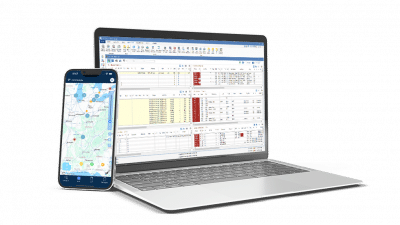
With PCS’s Fleet Management, you can manage owned equipment alongside common carriers in one place, across a single terminal or several. PCS Mobile lets you access fleet and load status from any device. A fleet manager can check unit status from the shop floor, and a driver can capture a BOL from the cab.
You don’t need to buy proprietary hardware. PCS connects to your preferred ELD and telematics provider through 70+ integration partners across 23 technology categories, and turns that feed into dispatch decisions, settlement accuracy, and cost-per-mile reporting.
If you need dedicated shop-floor software for advanced work-order management and parts inventory, connect it through those same integrations. The PCS module ties fleet visibility and maintenance scheduling to how you run freight.
Frequently Asked Questions
Truck fleet management is the oversight of a company’s trucks, trailers, drivers, and associated costs. It includes real-time vehicle and equipment tracking, preventive maintenance scheduling, driver safety and compliance, and fuel and utilization analytics.
Depends on what your TMS includes. If asset tracking, maintenance scheduling, and utilization reporting are native to the platform, a second system often adds duplicate data entry. If your TMS handles dispatch only, a point tool fills a real gap. PCS TMS includes native truck fleet management, so carriers don’t need to add a second system for asset tracking or maintenance.
The timeline depends on your data volume and how many systems you’re migrating from, not your fleet size. Software installation is the quick part. Data migration and integration setup are what take the most time. PCS configures your ELD, fuel card, and tracking integrations as part of onboarding, and PCS Academy runs structured certification courses so your dispatchers and back-office staff know the system before it goes live.
When fleet management is native to your TMS, equipment and driver data sits in the same system as dispatch. That lets fleet optimization recommend assignments across your whole fleet instead of one driver at a time. Dispatchers still review and approve every recommendation.
See Fleet Management Inside a Full TMS
Fleet management earns its keep by connecting where your equipment is, when it needs service, whether your drivers are legal, and what each mile costs.
PCS Fleet Management gives carriers from 25 to 1,000+ trucks asset tracking, preventive maintenance alerts, and productivity analytics in the same system as dispatch, settlement, and compliance. The platform scales with you, whether you add ten trucks this year or four hundred. See PCS Fleet Management in action against your own operation.