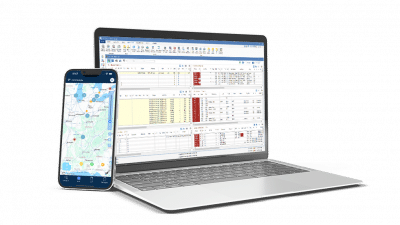
The transportation management system requirements that matter most are the ones tied to margin and time: dispatching and load management, billing and accounting, mobile access, integrations with the tools you already use, compliance records, and reporting. Shippers add route planning, dock scheduling, and freight audit and pay.
This guide walks carriers and shippers through each requirement, plus what to have ready before you implement. A well-chosen Transportation Management System (TMS) organizes and tracks the movement of freight and helps you respond to pressures like rising fuel costs and constant demand.
TMS Requirements at a Glance
- Dispatch and load management
- Whole-fleet optimization with recommendations you can review and approve
- Fleet management and maintenance tracking
- Fuel tracking and IFTA reporting
- Natural language search and reporting
- Billing, settlements, and accounting
- Mobile access for drivers and field staff
- Integrations with ELDs, fuel cards, load boards, and accounting
- Compliance and safety records
- Reporting and dashboards
- For shippers: route planning, dock and yard scheduling, and freight audit and pay
Understanding the Transportation Management System (TMS)
What is a TMS? A Transportation Management System (TMS) is software for planning, running, and paying for the movement of freight.
Trucking companies, brokers, manufacturers, and distributors use a TMS to see their transportation operation in one place. It connects with systems like ERP (Enterprise Resource Planning), ELD (Electronic Logging Device), and WMS (Warehouse Management System), and uses API and EDI connections to share real-time data on freight movement. That data feeds decisions about performance, financial health, and customer service.
By organizing the transportation process, using resources well, and reducing administrative work, a TMS helps companies keep up as customer demands grow.
Transportation Management System Requirements for Carriers and Shippers
Carriers and shippers play different roles, but they share several requirements. Knowing them is the first step to choosing a platform that fits how you run freight.
Compliance and Governance
Managing compliance across states, drivers, and customers is easier when records live in one place. A TMS keeps driver, equipment, and load records organized and easy to find, which helps you respond to audits quickly and avoid costly violations.
It also supports your safety program and carrier compliance requirements, and works with ELD data to plan around Hours of Service (HOS). Strong records and good planning help protect your CSA (Compliance, Safety, Accountability) scores and reduce oversight from the FMCSA.
Mobile Accessibility
Drivers and field staff need access wherever they are. Look for an app drivers will actually use, with document capture and easy driver-to-dispatcher communication. PCS Mobile gives drivers one place to upload documents and stay in touch with dispatch, and its simple interface makes adoption easier. At Voyager Express, the mobile app improved communication and paperwork submission for more than 75 drivers.
Integrated Reporting and Dashboards
You can’t manage what you can’t see. Look for dashboards that show your key performance indicators (KPIs) at a glance, with reports you can adjust for your own business. Maps and filters that show where freight is moving help managers spot and fix operational issues early. See reporting and analytics for carriers and for shippers.
Enhanced Connectivity Between Shippers and Carriers
Shippers and carriers work better when information flows between them: tracking, scheduling, and shipment status shared in real time. Faster answers mean fewer delays and fewer surprises.
Stronger shipper and carrier collaboration builds better working relationships, because each side understands the other’s needs and capabilities.
Essential TMS Features for Carriers
Carrier management systems handle the day-to-day work of running a fleet. Beyond managing shipments, the right features improve efficiency, customer service, and margin.
Advanced Dispatching Capabilities
Carrier dispatching is the core. Look for tools that handle route planning, load balancing, and driver scheduling, cut idle time, and help reduce fuel costs.
Fleet Optimization You Can See and Control
Dispatching one load at a time leaves margin on the table. Fleet optimization looks at all your loads and drivers together and recommends assignments aimed at cutting empty miles and improving margin.
Many vendors say they have AI. Ask each one to show how it reached a recommendation, and whether you can adjust it for your business.
With Dispatch powered by Cortex, PCS TMS recommends assignments across the whole fleet and shows why. Dispatchers review and approve, and can tune the recommendations for their business. It lives inside your dispatch workflow, not in a separate product you buy and connect.
Comprehensive Fleet Management
Fleet management tools keep your trucks and trailers working. Look for one place to add equipment, open work orders, price parts and labor, and track service history, with images, invoices, and reports stored alongside each asset. Automated reminders and alerts keep maintenance and driver compliance from slipping, which helps cut unplanned downtime. PCS TMS includes these tools.
Fuel is part of fleet management too. Look for a system that imports fuel transactions and calculates state-by-state mileage, so IFTA reporting doesn’t mean re-entering data from fuel statements. Connect your ELD and you can track trucks and trailers in real time.
Fleet management also brings many fleet management benefits. For more depth, see our guide to fleet management software.
Natural Language Search and Reporting
Getting an answer shouldn’t mean building a report. Look for search that lets dispatchers and managers ask a question in plain language and get an answer from their own data. Dispatch Research does this in PCS TMS. See how natural language search works.
Integrated Accounting Tools
Billing, invoicing, and driver settlements should connect directly to your operations data. PCS TMS includes built-in carrier accounting, so billing records come straight from the load instead of being re-entered, and rates and charges are easier to audit. Voyager Express cut its billing cycle to 2-3 days after delivery with PCS TMS.
Integrations With the Tools You Already Use
A TMS has to work with your ELD, fuel cards, load boards, mapping, EDI, and accounting. PCS has more than 70 integration partners, so data moves between systems instead of being re-entered. Ask any vendor which integrations are pre-built and which need custom work. See PCS integrations.
Robust Reporting and Analytics
Reporting should turn operating data into decisions. Trucking reporting lets carriers analyze freight data, shipment summaries, and financial performance, and spot trends in the numbers that drive margin, like deadhead, on-time performance, and days to invoice. Custom reports and dashboards make it easy to track KPIs and customer volumes.
TMS Requirements for Shippers
Like carriers, shippers need a TMS built around their work. Beyond managing shipments, the right features streamline operations and control cost.
Route Planning and Optimization
Look for route optimization that weighs shipment size, delivery windows, and carrier performance to plan freight at the lowest cost that still meets service needs. Good truck route planning saves time and fuel and helps you meet delivery commitments.
Carrier and Freight Management
Look for freight rating, carrier management, and scheduling in one place. Comparing carriers and modes by cost and service helps you pick the right option for each shipment and make better use of headhaul and backhaul capacity.
Dock and Yard Scheduling
Yard management tools organize dock bookings, allocations, and real-time shipment tracking. Better flow through the yard means fewer yard moves and better truck security. Connected to your WMS, a TMS can cut driver wait times by showing warehouse and transportation constraints together, so dock schedules and load sequencing line up.
Freight Audit and Payment Automation
Freight audit and pay checks carrier invoices against agreed rates before payment and automates billing and payments. It also generates digital bills of lading and supports claims management. Less manual checking means fewer billing errors and faster payment.
Customer Portal and Tracking
Shippers on PCS Shipper TMS can give their own customers self-service tracking through a customer portal, so customers can check shipment status themselves.
What You Need Ready Before You Implement a TMS
A TMS is only as good as the data it starts with. Most implementations go smoother when you gather these ahead of time:
- Customer, driver, and equipment records, cleaned up and current
- Rate agreements and lane information
- Accounting data, such as open balances and your chart of accounts
- A list of the tools you need to connect, such as your ELD, fuel cards, and load boards
- The people who will use the system and what each one needs to do in it
Implementation typically takes 30 to 120 days, depending on the complexity of your business. Ask any vendor what the plan looks like, who handles data migration, and what training is included.
Why Invest in a Transportation Management System?
A TMS gives trucking companies a lot to work with. Dispatching, fleet management, accounting, and reporting streamline operations. With automation and connectivity, a TMS can improve efficiency, reduce costs, and improve customer service. See the full list of transportation management system benefits.
A key benefit is visibility and control. Real-time tracking and accurate delivery information help you make decisions quickly and respond to the market, and customers notice.
How Do You Know It’s Time for a TMS?
Common signs: the same data is entered in more than one place, billing waits on paperwork, you can’t see margin by lane or customer without building a report, or growth means adding administrative staff.
Selecting the Right TMS for Your Business
Choosing the right TMS means matching it to how you actually operate. Here’s a streamlined approach:
Assess Operational Needs
- Review your workflows for dispatch, billing, and customer communication.
- Review transportation needs, including shipment volumes, how complex your freight is, and any special requirements.
- Identify the essential TMS features you need, such as dispatching, route planning, and freight optimization.
Consider Business and Integration Requirements
- Consider scalability and data security needs, and choose a TMS that supports them.
- Make sure it integrates with your existing systems, such as ERP, ELD, and WMS, to cut manual data entry and improve accuracy.
Examine Vendor Reputation
- Research vendors’ track records and industry experience.
- Review their case studies and client testimonials.
- Confirm they offer support services, including training and technical assistance, for a smooth implementation.
Review Budget Considerations
- Assess your budget and the resources available to implement a TMS.
- Evaluate the cost of each option, including upfront fees, ongoing subscription costs, and potential customization expenses.
- Ask what’s included in the base price and what’s optional. Our guide to TMS pricing covers the questions to ask.
See PCS TMS Against Your Requirements
Bring this checklist to a demo. PCS TMS for Carriers covers dispatch, accounting, PCS Mobile, and reporting, and Dispatch powered by Cortex adds whole-fleet planning. PCS TMS for Shippers covers route optimization, dock scheduling, freight audit and pay, and a customer portal.
Schedule a demo to see how it fits your operation.