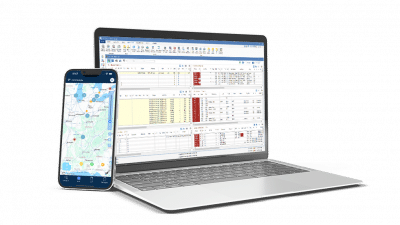
TMS implementation is the process of planning and configuring a transportation management system to automate dispatch and back-office work. It covers migrating your operational data, connecting the TMS to your existing systems, and training your team. With PCS TMS, most carriers are live in 30 to 90 days, depending on the size and complexity of the operation. In this guide, we walk through a 7-step approach to TMS implementation. Each step aims to shorten onboarding and help you choose a TMS your dispatchers and drivers will use.
Summary
- TMS implementation breaks into seven steps. Strategy and platform selection come first because they determine the outcome and complexity of implementation planning, data migration, integration, training, and launch.
- PCS customers are live in 30 to 90 days. Timing depends on the size and complexity of your operation. Replacing an enterprise legacy platform takes months and requires dedicated IT resources after launch.
- Data migration takes less work than most buyers expect. PCS imports your active list data (customers, drivers, trucks and trailers, delivery addresses) from Excel with a specialist guiding it.
- Implementation is smoother when the platform connects to tools you already use. PCS TMS connects with 70+ integration partners covering ELDs, fuel cards, load boards, tracking, and accounting, and configures the core ones during onboarding.
- Building training time into your plan ensures better adoption. Dispatchers who aren’t comfortable with the new TMS will keep using their spreadsheets instead, so train by role and pick your internal champions early.
7 Steps for TMS Implementation
These seven steps cover a TMS implementation end to end, from the decisions you make before choosing a platform through the training and monitoring that follow launch.
1. Define Your TMS Implementation Strategy
Begin your TMS implementation strategy before you take a single vendor demo, so you have time to pull in IT, your stakeholders, and the dispatchers and clerks who will work in the system every day.
Ask questions that clarify specific needs:
- What’s not working in your daily operations today? Name the pain points your team is currently experiencing, like dispatchers rebuilding the same load in three places or settlements that take a week because pay sheets are in Excel.
- What does the new TMS need to address? Your answers might include faster tender-to-dispatch, cleaner IFTA reporting, or drivers paid on time.
- Whose sign-off do you need before the project starts? Clarify who needs to be involved before the project starts and when you can get on their calendar.
Use your answers to shortlist platforms and build a scorecard for comparing features.
2. Choose Your TMS
A TMS manages freight from tender through dispatch, delivery, invoicing, and driver settlement. It differs from a CRM, which tracks customer relationships, and from an ERP, which covers company-wide finance and resources. Worthwhile capabilities for a carrier or asset-based brokerage include:
- Carrier and broker operations: Carrier dispatch, accounting, and fleet management should share one set of records. When a dispatcher books a load, your billing team invoices from that same record instead of re-keying it into a separate system.
- Reporting and analytics: Your TMS should report revenue and cost per mile, along with equipment profitability. These are the numbers you use to price freight and decide when to retire a truck.
- Integration and mobility: Check that the platform connects to your ELDs, fuel cards, load boards, and EDI. It should also include a mobile app drivers can use from the cab to capture paperwork and update load status.
- Multi-modal coverage: One platform should handle truckload, LTL, intermodal, and brokerage, so if you add a mode next year, you won’t have to buy a second system to run it.
- Cloud-based platform: A cloud-based TMS is worth prioritizing because there are no servers to maintain and you get updates faster. Cloud platforms can also scale from dozens of trucks to hundreds, so you won’t have to repeat this purchase and implementation process as your fleet grows.
PCS is built around that single-record model. PCS Carrier Accounting covers AR/AP and invoicing from delivered loads. It also handles driver settlement with match pay and GL coding, plus payroll and IFTA, in the same system as dispatch.
Leading TMS platforms now incorporate AI within the daily workflow. PCS Cortex AI ranks incoming freight opportunities by margin using your own rules, scans your network for profitable return legs, and recommends driver assignments across your whole fleet using 36+ real-time data points on drivers, assets, and lanes. Dispatchers see why each recommendation was made, review it, and approve. Dispatch powered by Cortex is native to the platform, built on 30+ years of freight operations expertise.
Take demos with your scorecard in hand and ask for specifics on what’s included, add-on costs, who configures the integrations, and how long implementation really takes.
3. Create an Action Plan
Appoint a project manager to own the rollout, organize the task list, and assign responsibilities. A small committee with people from dispatch, accounting, safety, and IT will find problems earlier than one person can.
Set the go-live date against your own freight calendar and keep it clear of your busiest weeks and of quarter-end IFTA filing. Avoid cutting over in the middle of a settlement period too, since drivers will notice a late pay run faster than they notice a new dispatch screen.
Decide early how you’ll handle loads already in transit. A load booked in the old system that delivers after cutover still has to be tracked and invoiced. Settling which system owns it up front saves your accounting team a manual cleanup at month-end.
Hold standing meetings through the rollout and keep dispatch in the room for every one. Dispatchers are the ones who will find the gap between how the system was configured and how your operation actually works.
4. Schedule IT Implementation
Your IT team handles the connections to your existing systems and must work with the new TMS vendor to configure settings and load business data. The systems carriers plug in first include:
- ELD and telematics, including Geotab, pulling HOS, DVIR, driver identification, and messaging into dispatch
- Fuel cards, feeding fuel data straight into IFTA and cost per mile
- Accounting and ERP, including QuickBooks
- Load boards, including DAT and Truckstop, so you find freight and post capacity without leaving the TMS
- Compliance tools, including FMCSA data, plus factoring and electronic signature partners
PCS TMS connects with 70+ integration partners across 23 technology categories and configures your ELD, fuel card, and tracking integrations as part of onboarding. For a system with no prebuilt integration, your IT team can connect it through a REST API or over EDI. Your IT team and the vendor need to stay coordinated through this phase, and a dedicated implementation specialist gives you one person accountable for that.
5. Migrate Data, Then Test
Data migration is the phase buyers worry about most and understand least, so it’s important to be clear about scope before you start a new TMS implementation. PCS builds data migration into onboarding. Your PCS implementation specialist guides the format and the load, importing your active list data from Excel.
Historical records stay in the old system. Your current, working data is set up to support day-to-day operations from the first dispatch, so you start without a decade of outdated records in the new system.
Once setup is done, test with vendor guidance. Test on mobile devices too, since drivers and dispatchers will use the system away from a desk.
- Run real loads through the full workflow, from tender to invoice.
- Have a driver capture a BOL with their phone camera and sign for a delivery.
- Have a dispatcher rate and transmit a load from mobile.
- Confirm a load booked in dispatch bills without anyone re-entering it.
Phoenix Cargo, a 400+ truck fleet and a PCS customer since 2020, came off spreadsheets and manual Excel invoicing. With PCS integrated to Compass for factoring, the team moved to direct email billing and improved reporting accuracy. “PCS streamlined our accounting, making everything more efficient and transparent,” says Accounting Manager Andrew Strack.
6. Train and Deploy
Launching your TMS implementation in phases gives you more control over each stage and lets you onboard staff in smaller groups. Pilot with one terminal or one dispatch board, watch what breaks, adjust, then widen.
Train by role since dispatchers, accounting, safety, and drivers all need different things. PCS offers live virtual sessions with a trainer who knows your workflow. PCS University handles the self-paced side, with on-demand videos and courses your team works through on their own schedule. The LTL Dispatch and Intermodal Dispatch tracks each include 52 lessons, covering system setup, data entry, dispatch manager, dispatch boards, dispatch tools, and mobile express, with carrier certification available for full-platform coverage.
Include change management in your training and onboarding plan. Pick champions on each team during testing. These should be the people others already ask for help. When a dispatcher hits a wall at 6 a.m., they ask the person two desks over before they open a support ticket.
7. Launch and Monitor
After you go live with TMS implementation, monitor performance and adoption together. Fleets that get the most out of a new TMS treat launch as the first step in a continuous improvement process. You can locate training gaps by identifying where usage is poor.
PCS dashboards consolidate live data from telematics, fuel cards, ELDs, and the TMS itself, so you can track the goals you set at the start of the project. In the first 90 days after go-live, tender-to-dispatch times and empty miles should both fall, and settlement should close faster than it did on your old system.
Expect a spike in support requests the first few weeks, with some routed to the vendor. Support needs drop quickly as people learn the system.
Switching From a Legacy System
The barrier that stalls most decisions is the memory of the last rollout. Carriers running TMW.Suite or McLeod have already lived through one long implementation, and they’d rather tolerate a system that half-works than repeat it. In our experience, the same four questions arise when a carrier is considering switching to a new TMS system:
- How long will my team be down?
- What if my dispatchers can’t figure out the new system?
- Will I lose all my data?
- Do I have to retrain everyone from scratch?
Both platforms were built for large enterprise fleets and they serve that scale well. The friction shows up for a 25 to 500 truck carrier that takes on enterprise overhead it has no use for. These platforms assume a dedicated IT team and deep custom integrations.
TMW.Suite deploys on-premise or as a hybrid. Its capability set is real, but it was assembled through years of acquisitions, so BI, workflow, and settlement are separate tools layered on the core system that have to be reconciled against each other. Reviewers also report slow turnaround on support tickets, which is a different kind of problem when the issue is a load already in motion. Implementation takes months, and buyers describe it as largely self-driven, with your own technical staff still needed after go-live to keep customizing and maintaining the system.
McLeod gives you a choice of hosting on-premise, third-party cloud, or McLeod-hosted. Its AI is real and shipping, including RespondAI for tender responses and MPact for freight matching, but it was added onto the established LoadMaster and PowerBroker platforms rather than built into them. Implementation still takes months, and your IT staff may stay involved throughout the process. Release cycles are quarterly or longer.
PCS is built for fleets in that 25 to 500 truck range that want dispatch, accounting, fleet management, ELD data, and mobile in one system. It’s 100% cloud-based and built that way from the ground up. The platform can manage fleets from 25 trucks to over 1,000, with Enterprise TMS covering multi-terminal and blended asset-plus-brokerage operations as you grow.
PCS customers are live in 30 to 90 days, depending on the size and complexity of your operation. You get a dedicated implementation specialist who learns your operation and works with you to build the plan. They remain your point person from kickoff through go-live. For more on what that looks like in practice, see how switching a TMS doesn’t have to be a nightmare. For the detail on TMW.Suite specifically, see our TMW.Suite alternatives breakdown.
TMS Implementation Timeline at a Glance
| PCS | TMW.Suite and McLeod | |
|---|---|---|
| Time to go-live | 30 to 90 days, depending on the size and complexity of your operation | Months, with customization continuing after go-live |
| Who manages it | A dedicated PCS implementation specialist | Largely self-driven by your team |
| Integration setup | ELD, fuel card, and tracking configured during onboarding | Often a separate project |
| After launch | Support, plus live and self-paced training | Your own IT staff needed for ongoing customization |
See What a Smooth TMS Implementation Looks Like for Your Fleet
Breaking TMS implementation into phases makes migration to a new tool much more manageable. The early phases decide most of the outcome. You name what’s broken, then pick a platform that fits your operation. Before you sign, get honest answers on timeline and data scope.
PCS gives carriers and asset-based brokerages one system for dispatch, accounting, and fleet management, with Cortex AI built into the daily workflow rather than added on top.
Let’s map out what implementation would look like for your fleet. Book a demo of PCS Carrier TMS.