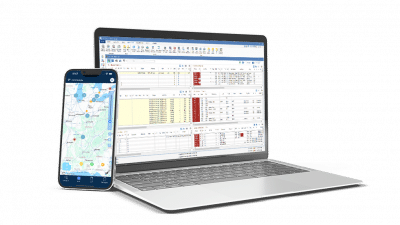
At the PCS Customer Summit, Gary Atkinson, PCS product director, walked customers through a year of updates to PCS TMS, PCS Mobile, and our integrations. If you couldn’t make it to Dallas, this is your catch-up. Four features get a closer look, and a full list follows. Everything here is live today, and much of it started with a customer request.
Four Worth a Closer Look
Driver reservations: the next load is already lined up
Reserve a driver on several loads. As they finish each stop, their reservations show up in PCS Mobile, and they convert the next one to a dispatch with a tap. Reservations don’t depend on exact dispatch dates and times, so a driver can keep moving over a weekend or a multi-load run. You can also require drivers to accept a reservation before converting it.
Bill.com integration: pay carriers and vendors by ACH from PCS
Set up a Bill.com account through PCS and invite your vendors and carriers to register. Then payments go out with one button on the payment screen. Each vendor chooses how they want to be paid, and payment status is visible in PCS and in your own Bill.com portal. Your customer success manager can get you set up.
LTL trip posting: one click to MacroPoint and Trucker Tools
If you run LTL and have a MacroPoint or Trucker Tools account, PCS posts the full planned route in one click. GPS pings and trip updates flow back into the trip and load. If you run brokerage, you can also show those pings to your customers on a tracking map in the customer portal. It’s a per-customer setting, so you choose who sees it, and carrier information stays hidden.
Fuel surcharge that follows your rules
Fixed-region pricing lets you pick the region the FSC calculates against, even when the load picks up somewhere else. A new “West Coast less CA” option applies the right DOE pricing separately from California-only rates.
Everything Else That’s New
In Express
- Custom reference fields: Create up to 25 on loads and on entities like trailers and drivers, in text, date, or dropdown formats. A “No Dupe” option warns you when a reference number already exists. It applies going forward and is available for entities, not loads.
- Trailer pool management: Mark locations as trailer pools with minimum and maximum counts. Filter for them in Tracker and see how many days each trailer has been available.
- AP “other bill-to”: Pay multiple carriers that share a factoring company in a single payment, with a detailed settlement.
- Detailed delivery receipts: Include commodity breakdowns, pickup info, and container details, turned on in settings.
In PCS Mobile
- Driver repositions: Drivers start and finish a repo from their phone. PCS captures arrival and drop times and applies default repo pay.
- Available loads: Drivers see open loads in your TMS and request them. Dispatchers accept or reject from a notification.
- Driver workflow controls: Require stops in order, dispatch confirmation, trailer photos, and all backup paperwork before a load closes.
- Advance requests: Drivers request advances in the app, and dispatchers approve from their own phones.
- Auto-send loads: Changes push to the driver as you make them.
- Submit by reference number: Drivers attach documents using the load’s reference number.
Open API and integrations
- Load + Rates API: Post a load with linehaul rates, accessorials, and commodities in one call.
- Dispatch API: Assign a driver or carrier, with their pay rate, in one call. The APIs are built for connecting third-party systems, not for live dispatching.
- Highway: Import carrier applications, monitor carrier compliance and safety data, and get fraud alerts when you build and dispatch loads. Updates are logged in PCS with an audit trail.
Want Any of This Turned On?
Many of these are settings, not new screens. Contact your customer success manager or email customersuccess@pcssoft.com, and we’ll walk you through it. Not sure where to start? Open PCS Mobile, set up a test driver, and try it yourself.